




最新下载


热门教程
- 1
- 2
- 3
- 4
- 5
- 6
- 7
- 8
- 9
- 10
微信小程序实现复选框效果
时间:2022-06-25 15:25:14 编辑:袖梨 来源:一聚教程网
本文实例为大家分享了微信小程序实现复选框片展示的具体代码,供大家参考,具体内容如下
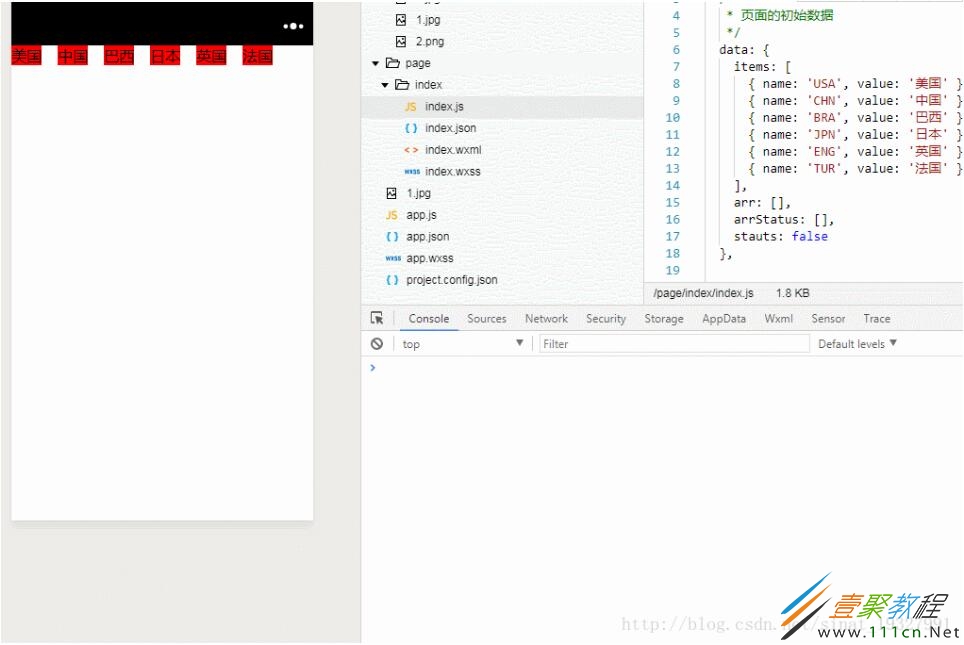
样式部分你们自由发挥,反正这里是什么都没写的,选中和没选中直接用这个this.data.arrStatus[checkIndex]去判断就行了,之后你们都懂的。
效果预览:
js部分
// page/index/index.js
Page({
 /**
  * 页面的初始数据
  */
 data: {
  items: [
   { name: 'USA', value: '美国' },
   { name: 'CHN', value: '中国' },
   { name: 'BRA', value: '巴西' },
   { name: 'JPN', value: '日本' },
   { name: 'ENG', value: '英国' },
   { name: 'TUR', value: '法国' },
  ],
  arr: [],
  arrStatus: []
 },

 check: function (e) {
  //获取当前选中的值
  var checkValue = e.currentTarget.dataset.val;
  //获取当前选中的下标
  var checkIndex = e.currentTarget.dataset.index;
  //当前选中的取反值
  this.data.arrStatus[checkIndex] = !this.data.arrStatus[checkIndex];
  if (this.data.arrStatus[checkIndex]) {
   //如果当前为选中状态则将值插入进数组中
   this.data.arr.push(checkValue);
  }else{
   //如果当前为未选中状态则将值从数组中删除并返回一个新的数组
   for (var i in this.data.arr) {
    if (this.data.arr[i] == checkValue) {
     this.data.arr.splice(i);
    }
   }
  }
  //打印当前所选中的数据
  console.log(this.data.arr);
 },

 /**
  * 生命周期函数--监听页面加载
  */
 onLoad: function (options) {
  //设置数组中每一个数据的状态
  for (var i in this.data.items) {
   this.data.arrStatus[i] = false;
  }
 },
})
wxml部分:
相关文章
- 用 Electron 与 FastAPI 构建流式 Agent 对话 09-20
- JS中彻底删除JSON对象组成的数组中的元素 09-20
- JEV人工智能官网入口:Jev AI国内访问与申请教程 09-20
- 用蓝耘元生代搭建本地图库语义搜索:一句话定位目标图片 09-20
- 企业级 Agent 如何从提效走向增收:落地路径与实践解析 09-20
- Smarty的配置与高级缓存技术分享 09-20